Outlier scores, views per hour, revenue estimates and full channel analytics, shown right inside YouTube. No account, no sign-in.
Chrome Web Store version coming soon.
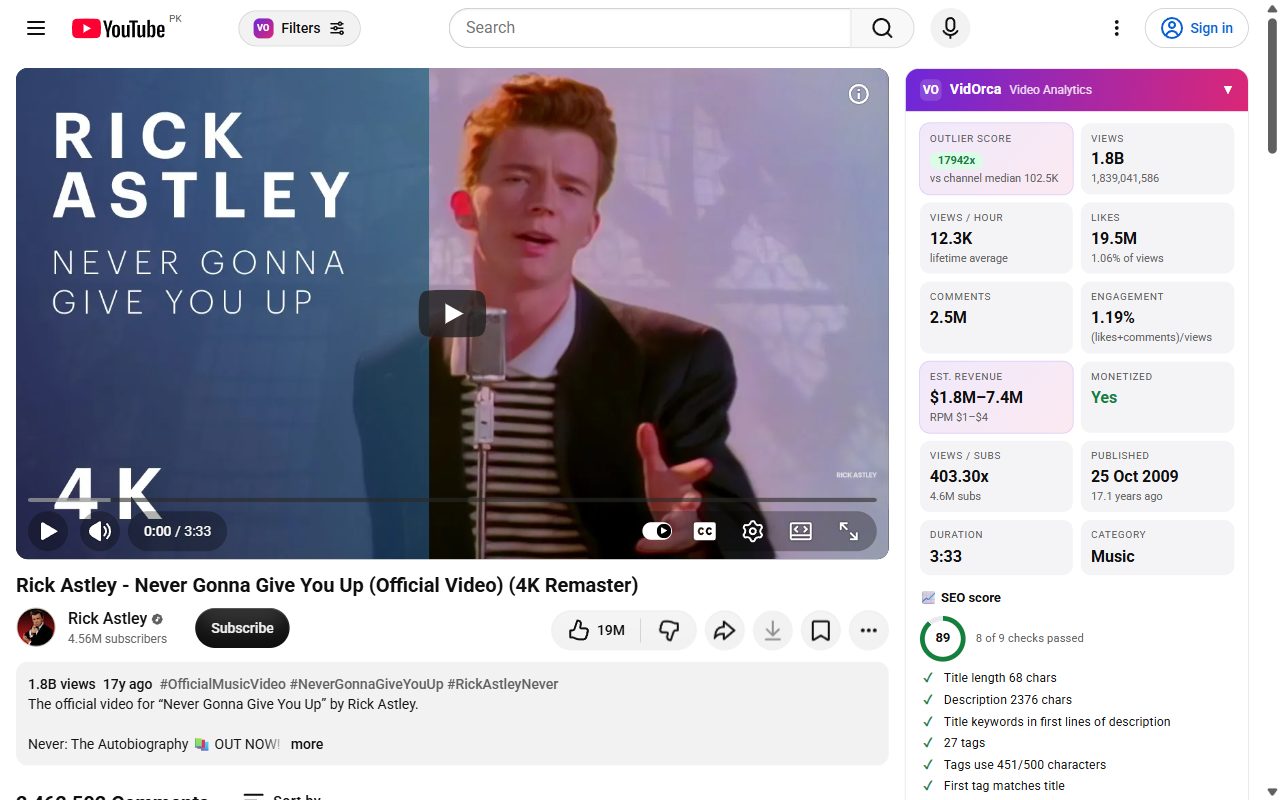
See how much better a video did than the channel's usual videos, on every thumbnail.
Views per hour, engagement, likes, comments, monetization and an SEO checklist.
Estimated earnings per video and per channel, using your own RPM range.
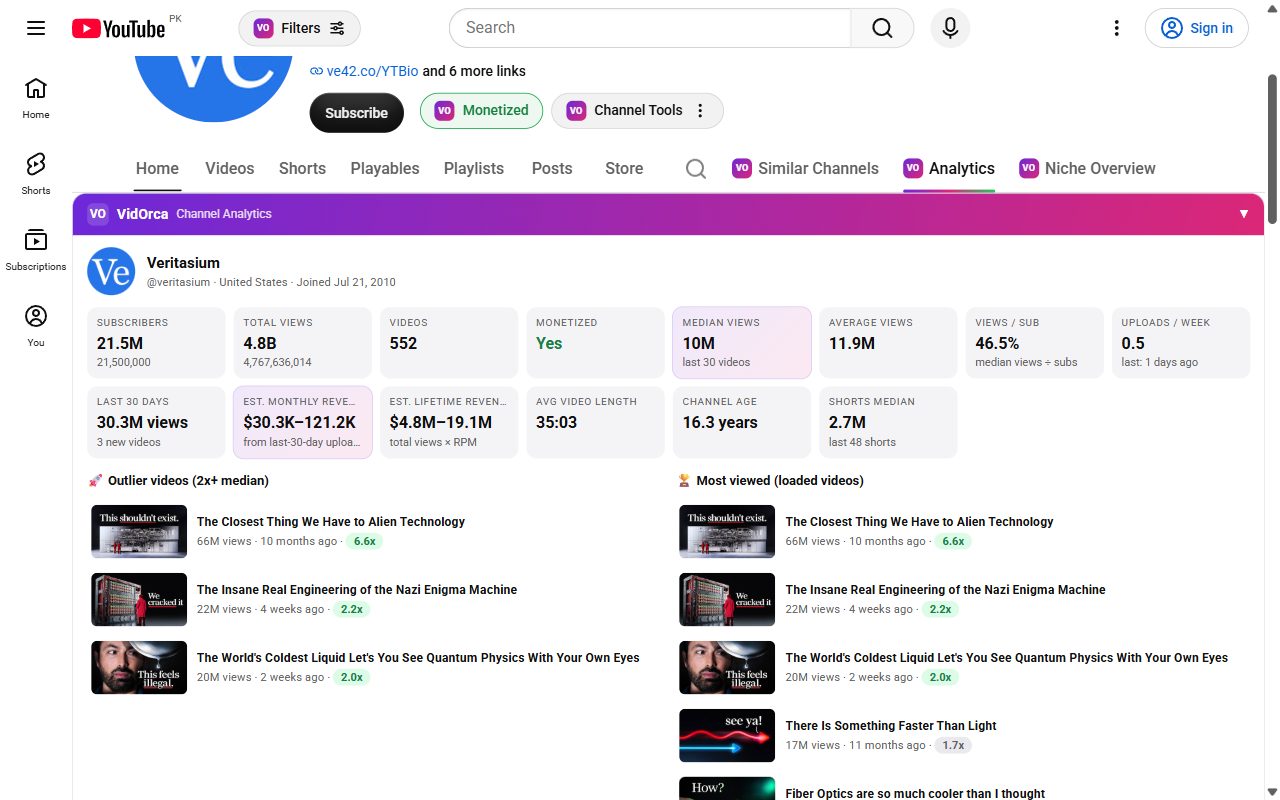
Median views, uploads per week, channel age, outlier and most viewed videos.
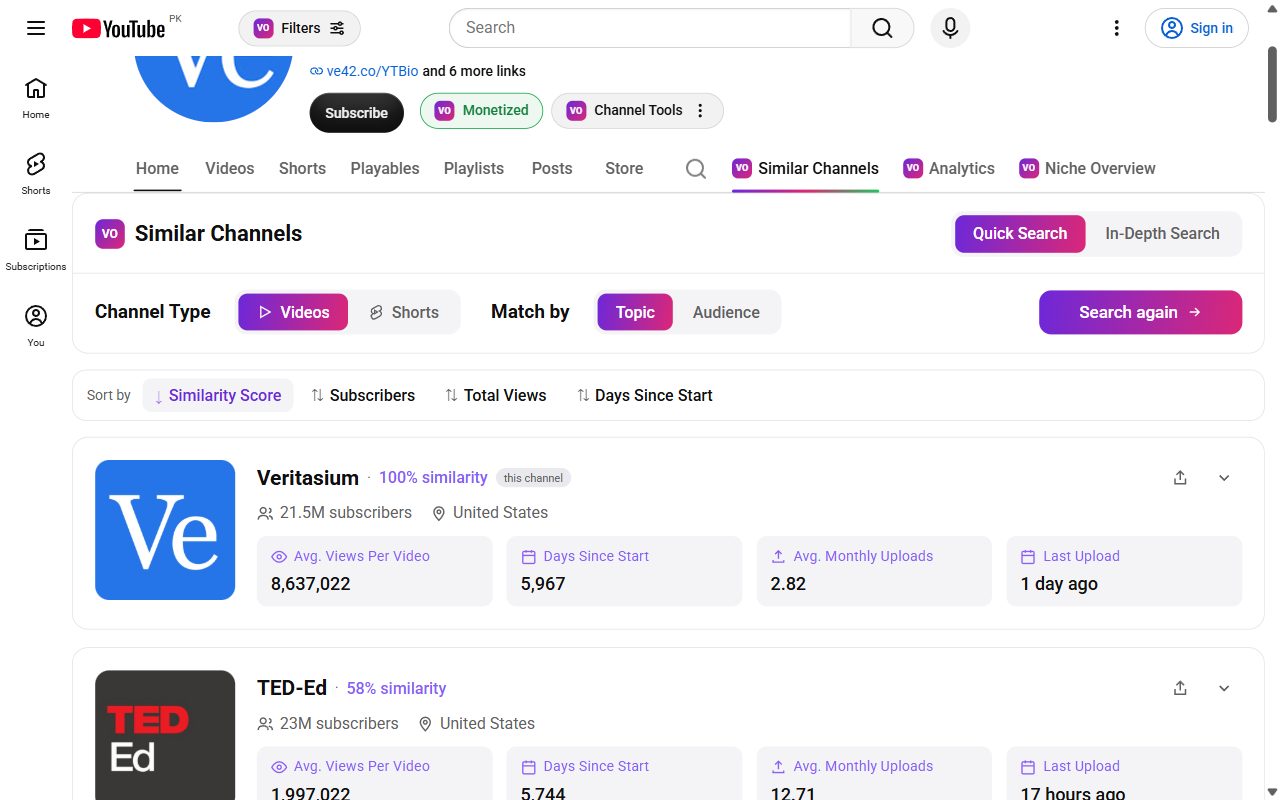
Find channels in the same niche and compare their size, views and upload speed.
Understand a whole niche: who is growing and what is working.
See what viewers ask for and what they love, from the top comments.
Preview your thumbnail and title among real videos before you publish.
Track any channel's views and subscribers every hour with a growth chart.
Open any channel and get subscribers, median and average views, uploads per week, revenue estimates and its outlier videos.
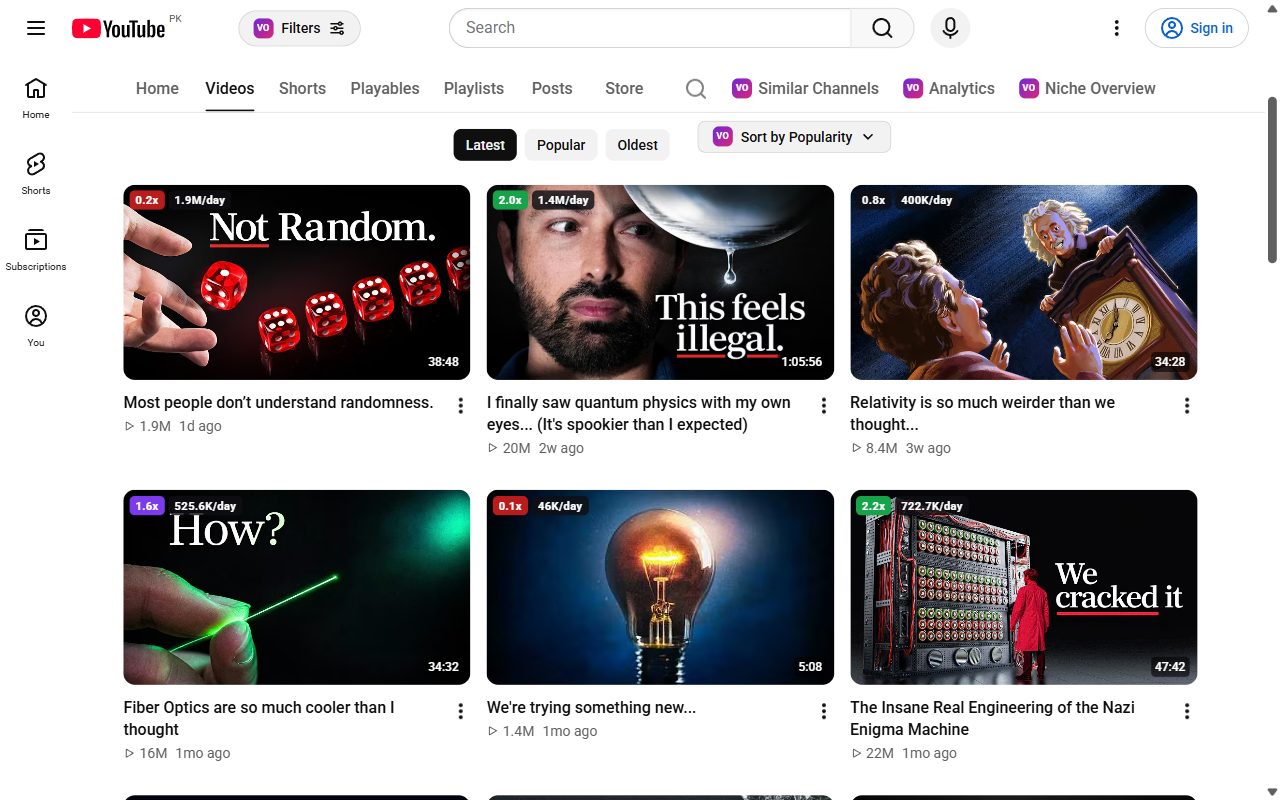
Every thumbnail gets an outlier score and views per day, so the winners stand out on home, search and channel pages.
Discover channels in the same niche and sort them by similarity, subscribers, total views or age.
Badges on search results show which videos are really performing for any keyword.

Takes about one minute. After this, new versions install by themselves.
chrome://extensions. Turn on Developer mode (top right).Loading…
VidOrca works fully in your browser and only reads the public information YouTube already shows. No account, no tracking, no ads. Read the privacy policy.
 VidOrca